Image Studio (Effects and Enhancements)
Use this to revive faded photos, brighten dark images, add a polished social-media look, or apply the same colour correction to a whole batch in one pass.
Version 0.1.46 is permanently free with all 76 tools and modules. No usage quota, time limit, license key or subscription.
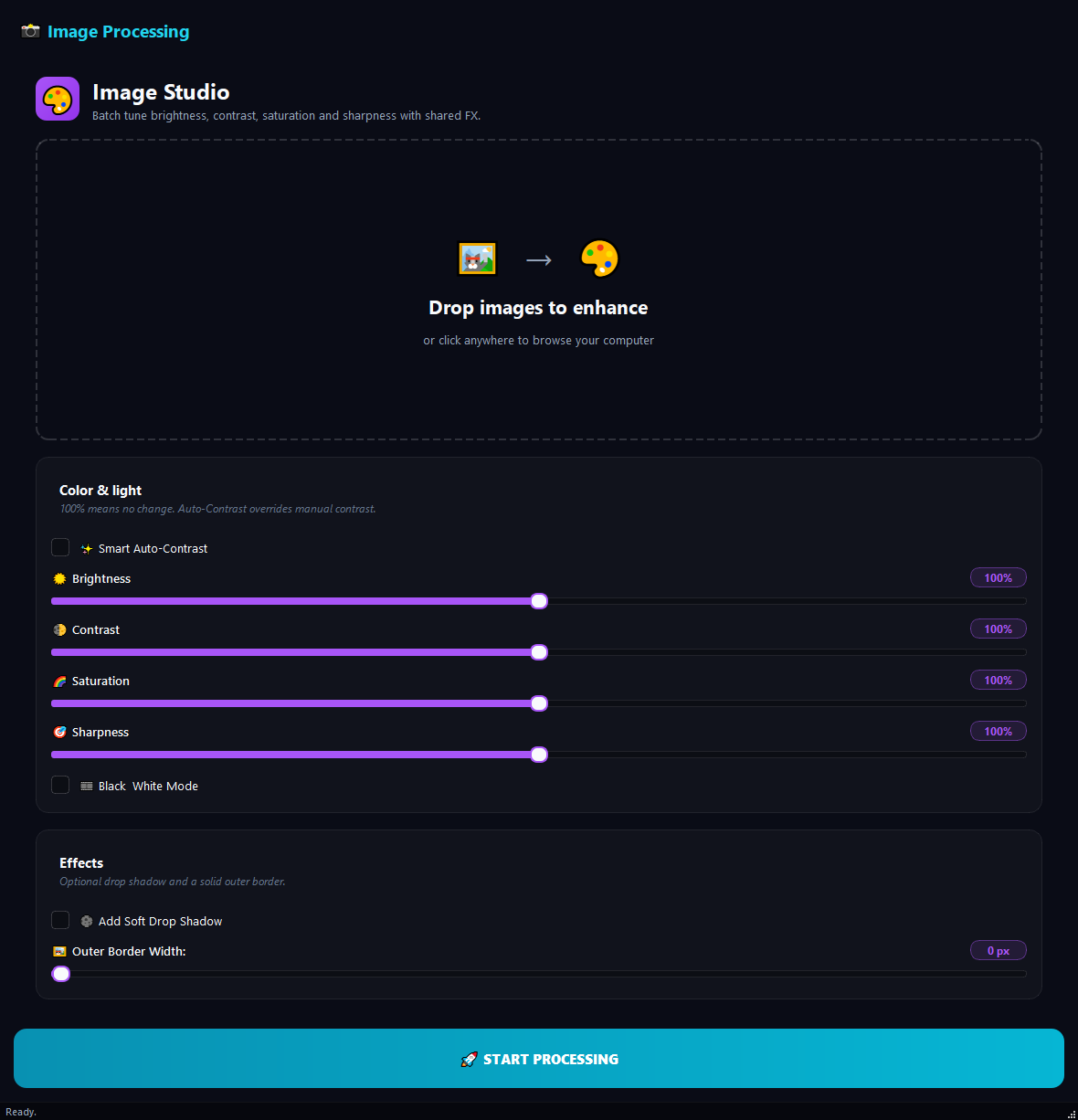
What it does
Use this to revive faded photos, brighten dark images, add a polished social-media look, or apply the same colour correction to a whole batch in one pass.
How to use it
- 1Drag images into the list.
- 2Set the sliders and toggles in the left panel.
- 3Check the preview on the right.
- 4Click Run.
Use cases
Revive faded photos
Add the images, Smart Auto-Contrast on, Saturation 120%, run.
Black-and-white social media set
Add the images, Black and White on, Contrast 110%, run.
Product cards with shadow
Add the product photos, Soft Drop Shadow on, run. They look more polished on a web page.
Brighten dark scans
Add old photos, Brightness 130%, Contrast 115%, Sharpness 120%, run.
Frequently asked questions
Is Image Studio (Effects and Enhancements) free?
Yes. Version 0.1.46 is permanently free with all 76 tools and modules included. There is no usage quota or time limit, and no license key, account or subscription is required.
Local processing
Runs on your CPU/GPU. No file leaves your machine.
Batch ready
Process dozens or thousands of files in one run.
Part of BulkPro
Bundled with 76 tools across 7 modules: one install, one app.
Full UI reference, step-by-step workflows, edge cases
Every input, button, and behavior documented for advanced users.