AI Image Upscaler
Enlarge low-resolution images with AI. Local, GPU-accelerated.
Version 0.1.46 is permanently free with all 76 tools and modules. No usage quota, time limit, license key or subscription.
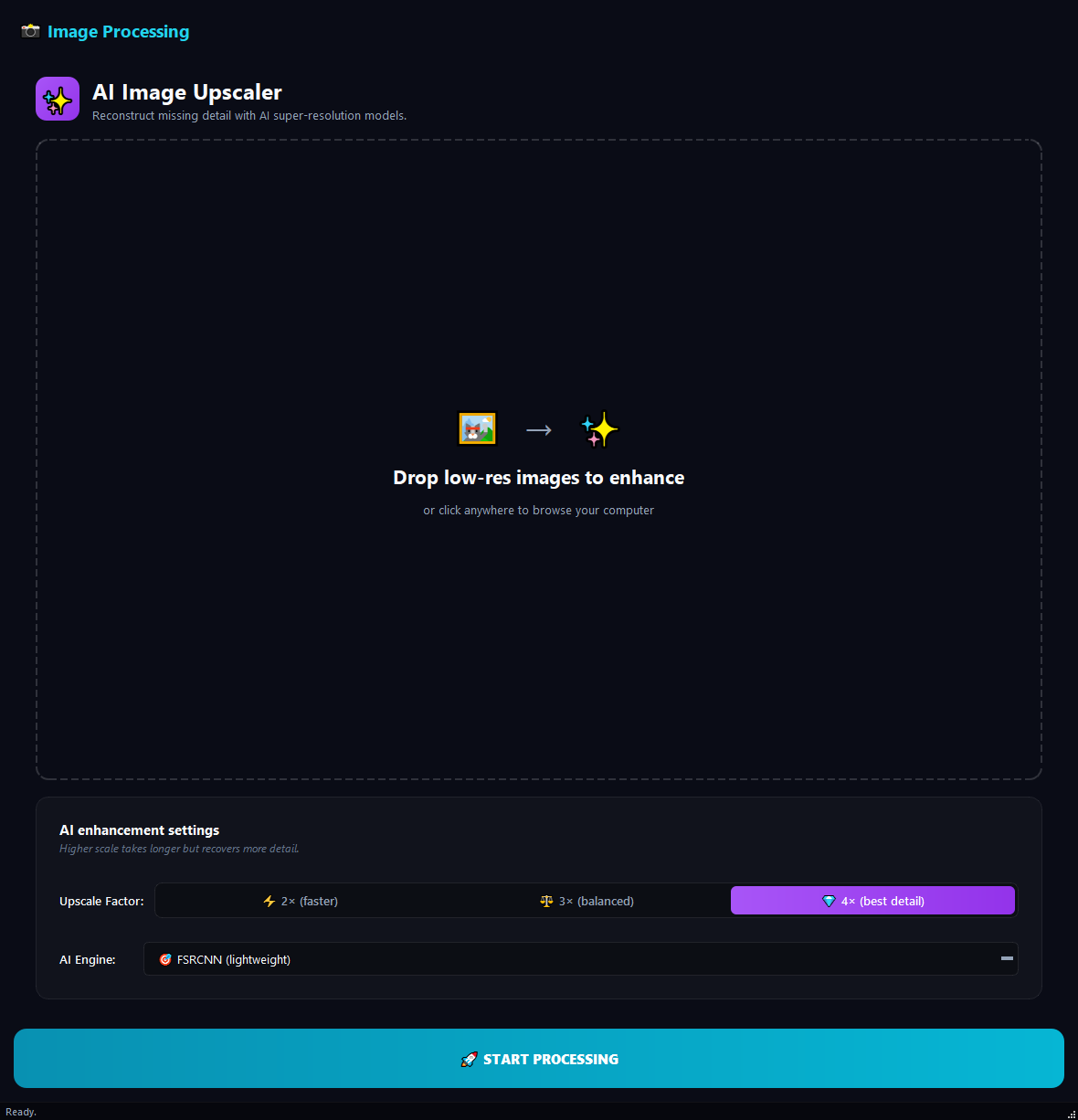
What it does
BulkPro AI Image Upscaler enlarges low-resolution images with AI. Unlike plain resizing, it reconstructs missing pixels intelligently instead of blurring. From turning old phone photos into HD to enlarging a small logo to print size, the job runs on your computer and automatically accelerates on a GPU when available.
How to use it
- 1Drag the low-resolution images onto the list.
- 2Pick a Scale Factor: 2x, 3x or 4x.
- 3Pick an AI Engine: FSRCNN (fast), ESPCN (balanced) or LapSRN (best quality).
- 4Hit Run. An upscaled copy of each image is produced.
Use cases
Turn old phone photos into HD
4x + FSRCNN lifts 480p photos to high resolution. Crisp results for social media and archiving.
Enlarge a small logo for print
4x + LapSRN scales a logo to print size. No visible pixels when enlarged.
Archive old family photos
Take scanned old photos to archive-grade quality with 3x + LapSRN.
Frequently asked questions
How do I enlarge an image without losing quality?
Pick a scale factor (2x-4x) and an AI engine, then run; the tool reconstructs missing pixels instead of blurring them.
Do I need an internet connection?
Only the first run downloads a small AI model (about 1-5 MB). Later runs work fully offline.
Are my images uploaded to the cloud?
No. Upscaling runs on your computer, GPU-accelerated; your images are never sent to any server.
Is AI Image Upscaler free?
Yes. Version 0.1.46 is permanently free with all 76 tools and modules included. There is no usage quota or time limit, and no license key, account or subscription is required.
Local processing
Runs on your CPU/GPU. No file leaves your machine.
Batch ready
Process dozens or thousands of files in one run.
Part of BulkPro
Bundled with 76 tools across 7 modules: one install, one app.
Full UI reference, step-by-step workflows, edge cases
Every input, button, and behavior documented for advanced users.