PDF Split
Split a PDF into pages, ranges or equal-sized parts.
Version 0.1.46 is permanently free with all 76 tools and modules. No usage quota, time limit, license key or subscription.
What it does
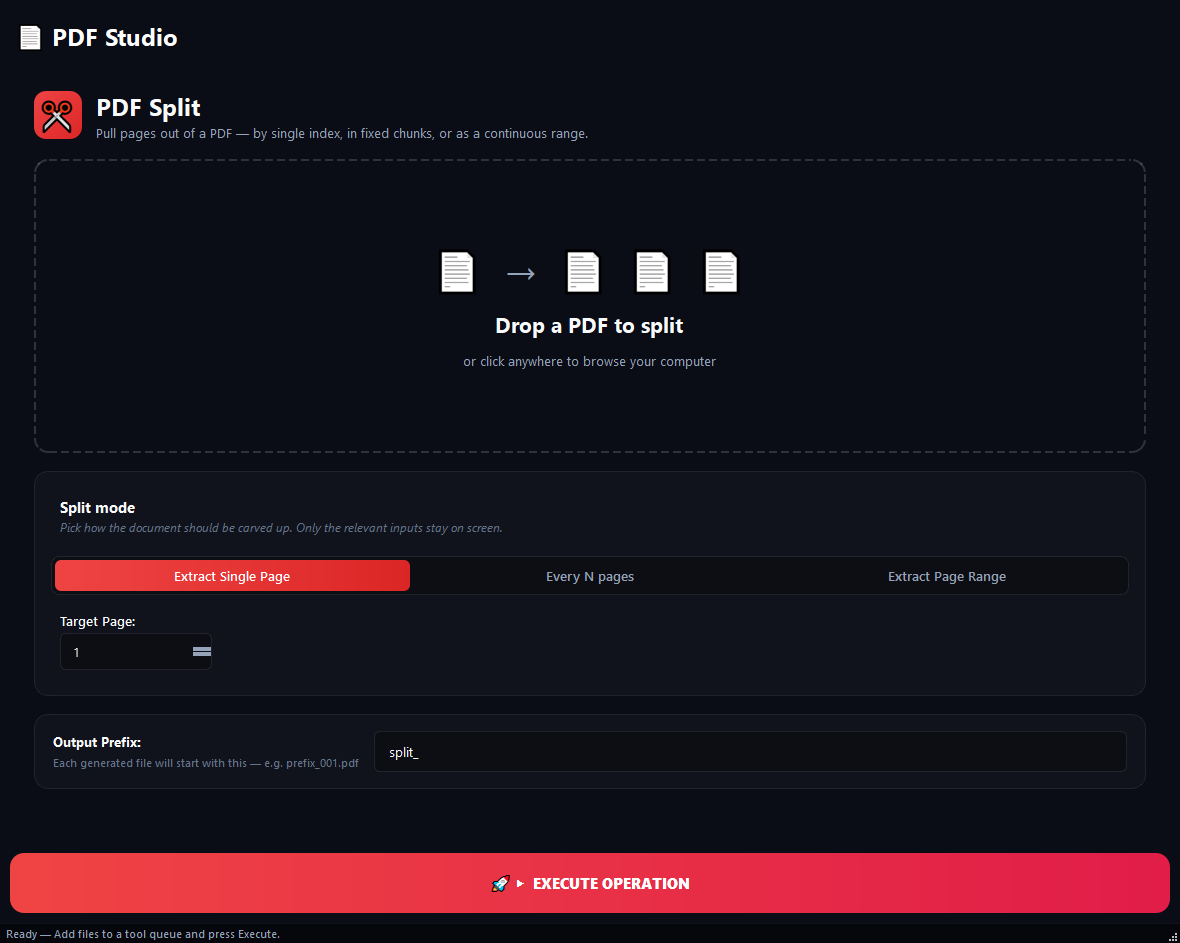
BulkPro PDF Split breaks a PDF into multiple parts. You can extract a single page, split the document into equal-sized parts, or save a specific page range as its own file. From pulling the cover off a 300-page report to splitting a 500-page book into chapters, the whole job runs on your computer.
How to use it
- 1Add the PDF by drag-and-drop or with 'Select Source PDF'.
- 2Pick a Split Mode: Extract Single Page, Split Every X Pages, or Extract Page Range.
- 3Enter the relevant page numbers and an output prefix.
- 4Hit Run. The parts are saved as separate PDF files.
Use cases
Separate the cover page
In Extract Single Page mode set Target Page: 1. Only the cover becomes its own PDF.
Split a book into chapters
In Split Every X Pages mode, split 500 pages into 50-page chunks. Ten tidy, separate files.
Pull an annex out of a contract
In Extract Page Range mode pick 45-67. A single contract_45-67.pdf is produced.
Frequently asked questions
How do I split a PDF into specific pages?
Choose Extract Page Range mode and enter a start and end page; that range is saved as one new PDF.
Is my file uploaded to the cloud?
No. Splitting runs locally on your computer; your file is never sent to any server.
Can I split an encrypted PDF?
It warns you when an encrypted PDF is loaded. Remove the password first with the PDF Encryption tool, then split.
Is PDF Split free?
Yes. Version 0.1.46 is permanently free with all 76 tools and modules included. There is no usage quota or time limit, and no license key, account or subscription is required.
Local processing
Runs on your CPU/GPU. No file leaves your machine.
Batch ready
Process dozens or thousands of files in one run.
Part of BulkPro
Bundled with 76 tools across 7 modules: one install, one app.
Full UI reference, step-by-step workflows, edge cases
Every input, button, and behavior documented for advanced users.