Video Audio Extractor
Use this to turn webinars into podcasts, rip music from films/series, or archive only the audio from interview videos.
Version 0.1.46 is permanently free with all 76 tools and modules. No usage quota, time limit, license key or subscription.
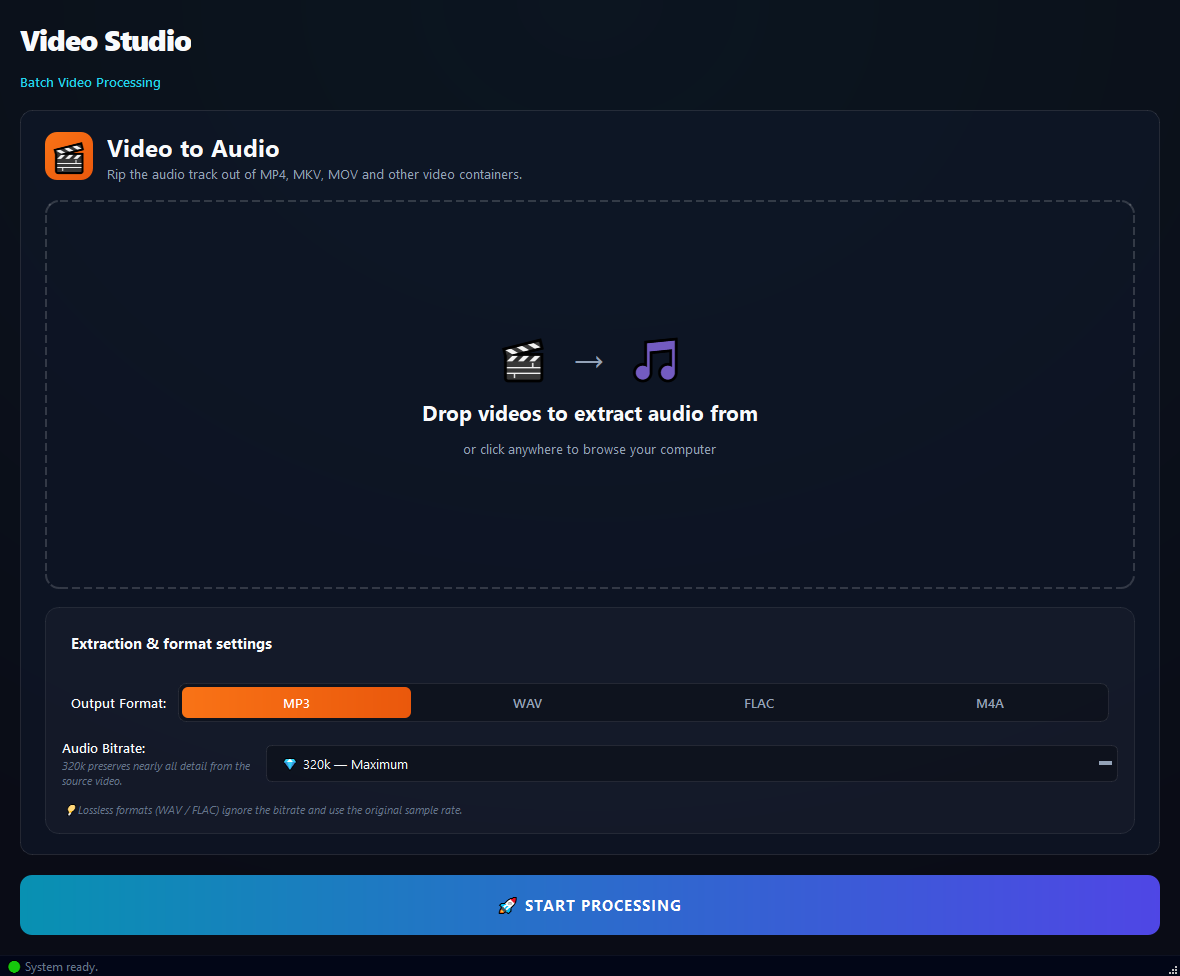
What it does
Use this to turn webinars into podcasts, rip music from films/series, or archive only the audio from interview videos.
How to use it
- 1Drag video files into the list.
- 2Pick an Output Format: MP3, WAV, FLAC or M4A.
- 3Pick an Audio Bitrate (default 320 kbps).
- 4Click Run.
Use cases
Webinar into a podcast
Add the webinar MP4, MP3 192 kbps, run. Listenable audio file.
Pull music from a film
Add the MKV, MP3 320 kbps, run.
Archive a meeting's audio
Add the MP4s, FLAC, run. Lossless archive.
Audio from a clip
Add the MP4 clip, M4A, run. Usable on iPhone.
Frequently asked questions
Is Video Audio Extractor free?
Yes. Version 0.1.46 is permanently free with all 76 tools and modules included. There is no usage quota or time limit, and no license key, account or subscription is required.
Local processing
Runs on your CPU/GPU. No file leaves your machine.
Batch ready
Process dozens or thousands of files in one run.
Part of BulkPro
Bundled with 76 tools across 7 modules: one install, one app.
Full UI reference, step-by-step workflows, edge cases
Every input, button, and behavior documented for advanced users.