Speaker Diarizer
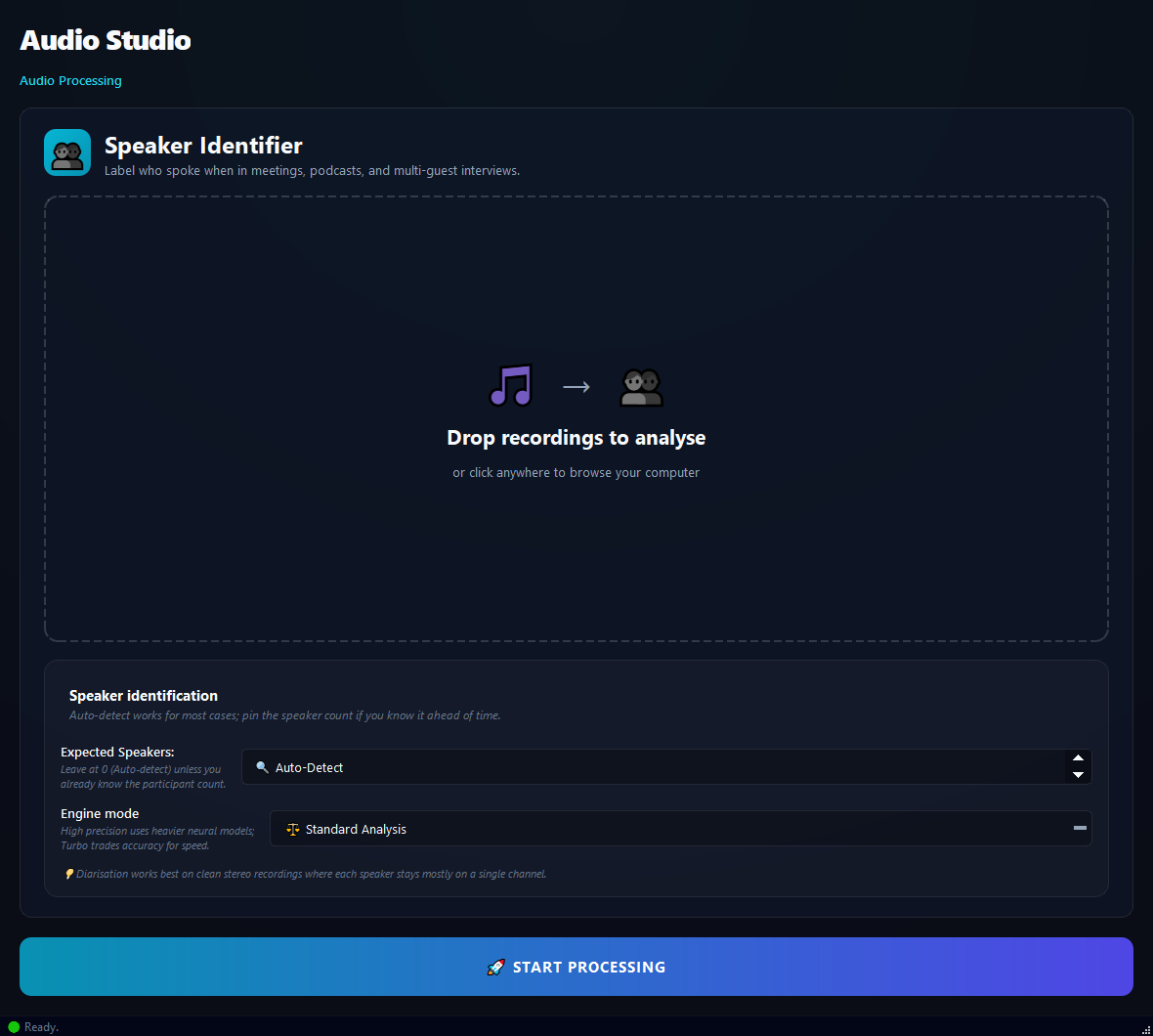
Use this to break a meeting into per-speaker quotes, distinguish the interviewer from the interviewee, or pull individual contributions out of a panel recording.
Version 0.1.46 is permanently free with all 76 tools and modules. No usage quota, time limit, license key or subscription.
What it does
Use this to break a meeting into per-speaker quotes, distinguish the interviewer from the interviewee, or pull individual contributions out of a panel recording.
How to use it
- 1Drag meeting/interview recordings into the list.
- 2Pick the Expected Speaker Count (Auto-Detect or a number from 2 to 10).
- 3Pick a Neural Mode: Standard, High Precision, or Turbo.
- 4Click Run.
Use cases
Break a meeting into speakers
Add the meeting, Auto-Detect, Standard, run. Each speaker is labelled SPEAKER_01, SPEAKER_02 and so on.
Q&A split for an interview
Add the interview, Speakers 2, High Precision, run. Both speakers come out cleanly separated.
Analyse a panel recording
Add the panel, Speakers 4, Standard, run.
Batch interview archive
Add many interviews, Speakers 2, run. Each one gets its own report.
Frequently asked questions
Is Speaker Diarizer free?
Yes. Version 0.1.46 is permanently free with all 76 tools and modules included. There is no usage quota or time limit, and no license key, account or subscription is required.
Local processing
Runs on your CPU/GPU. No file leaves your machine.
Batch ready
Process dozens or thousands of files in one run.
Part of BulkPro
Bundled with 76 tools across 7 modules: one install, one app.
Full UI reference, step-by-step workflows, edge cases
Every input, button, and behavior documented for advanced users.