Excel Cleaner
Bulk-clean and standardize messy Excel/CSV data.
Version 0.1.46 is permanently free with all 76 tools and modules. No usage quota, time limit, license key or subscription.
What it does
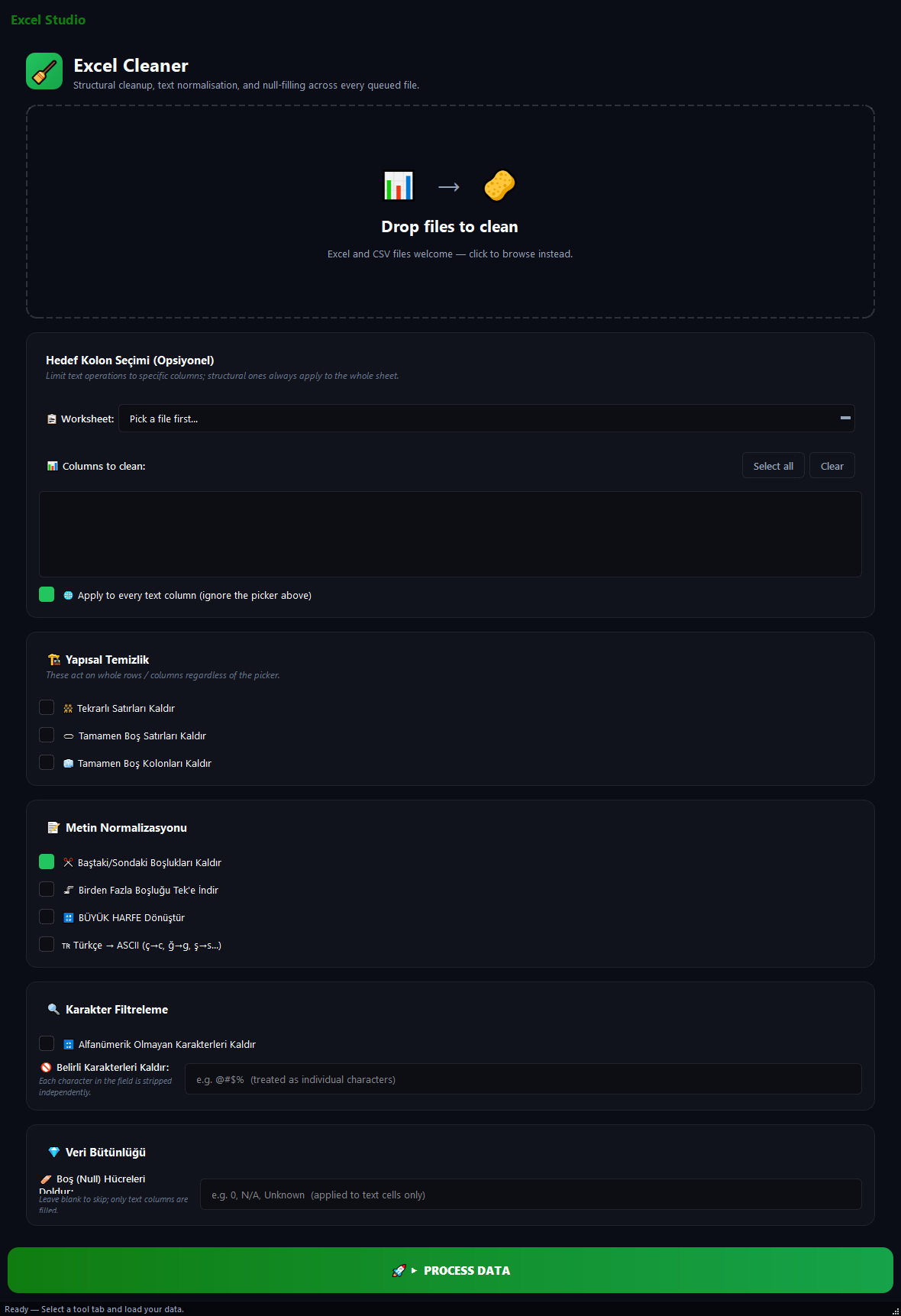
BulkPro Excel Cleaner turns messy data in Excel and CSV files into usable data. It removes duplicate rows, strips empty rows and columns, collapses extra spaces, normalizes Turkish characters to ASCII and fills empty cells. It is ideal for a fast, bulk cleanup before merging CRM data, reporting, or sending data to analysis.
How to use it
- 1Drag the Excel/CSV files onto the list.
- 2Optionally pick a Worksheet and the columns to clean (blank = all text columns).
- 3Tick the cleaning operations to apply.
- 4Hit Run. A cleaned copy of each file is produced.
Use cases
Standardize a CRM list
Remove duplicate rows + trim whitespace + fill empty cells with N/A. A spotless customer list.
ASCII before a legacy import
Turkish -> ASCII turns sahin into sahin so legacy systems that reject non-ASCII accept the data cleanly.
Clean a single column
Pick a Worksheet and one column (e.g. email), uppercase + trim spaces. Other columns are untouched.
Frequently asked questions
How do I remove duplicate rows in Excel?
Tick 'Remove duplicate rows' and hit Run; only one of each identical row is kept.
Will my numeric columns be damaged?
No. Numeric columns are automatically protected from text operations and never converted.
Is my data sent to the cloud?
No. All cleaning runs on your computer; your files are never uploaded to any server.
Is Excel Cleaner free?
Yes. Version 0.1.46 is permanently free with all 76 tools and modules included. There is no usage quota or time limit, and no license key, account or subscription is required.
Local processing
Runs on your CPU/GPU. No file leaves your machine.
Batch ready
Process dozens or thousands of files in one run.
Part of BulkPro
Bundled with 76 tools across 7 modules: one install, one app.
Full UI reference, step-by-step workflows, edge cases
Every input, button, and behavior documented for advanced users.