Image Positioner
Use this to deliver uniform images for e-commerce platforms (Amazon, Trendyol, Instagram).
Version 0.1.46 is permanently free with all 76 tools and modules. No usage quota, time limit, license key or subscription.
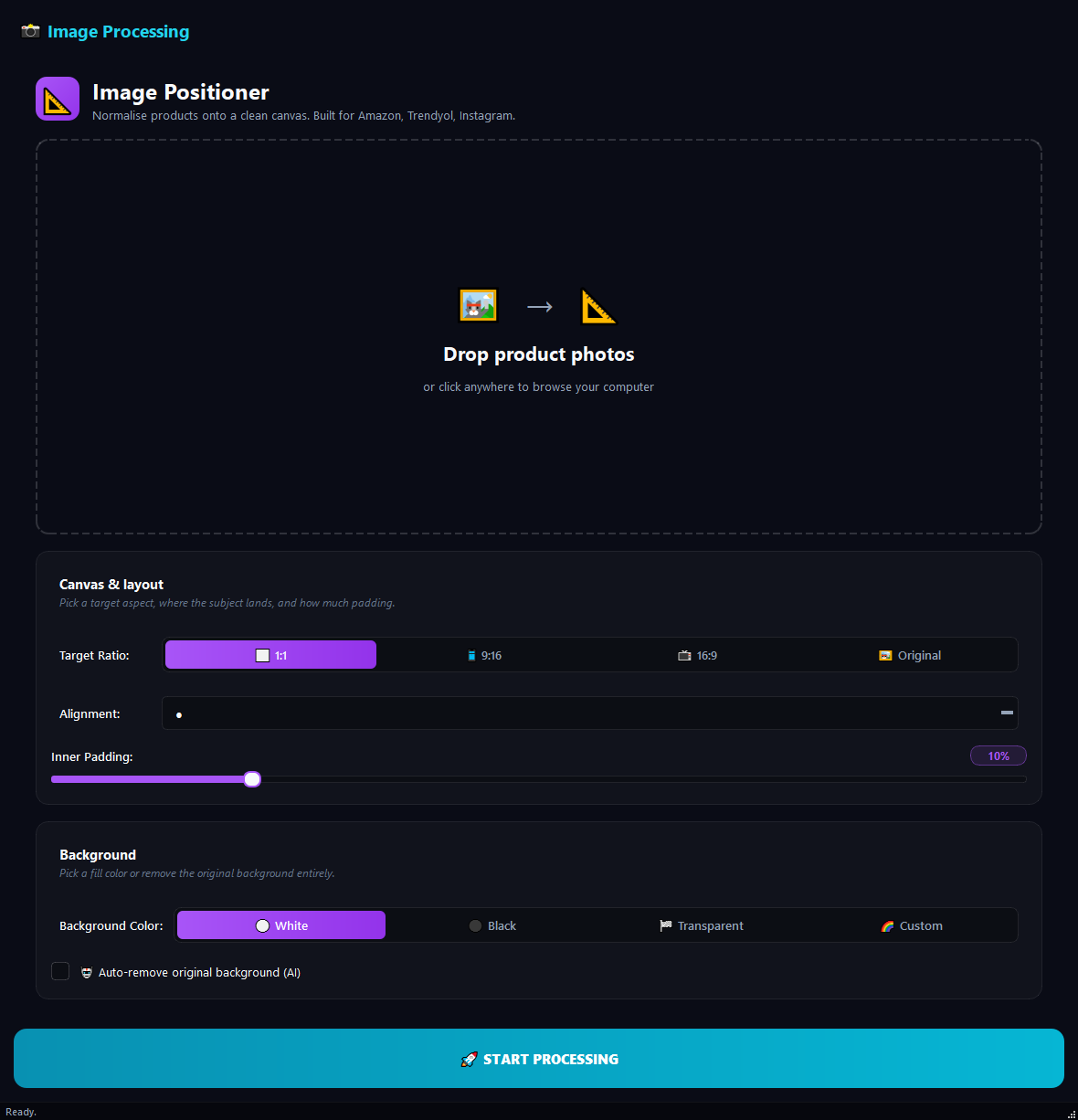
What it does
Use this to deliver uniform images for e-commerce platforms (Amazon, Trendyol, Instagram). Mixed-size product photos get put on the same square or vertical canvas, giving you a consistent catalogue.
How to use it
- 1Drag images into the list.
- 2Pick a Target Ratio: Square, Vertical, Horizontal or Original.
- 3Pick an Alignment (one of the 9 cells in the grid): centre, a corner, or an edge.
- 4Set the Inner Padding (0-50%).
- 5Pick a Background Colour: White, Black, Transparent or Custom.
- 6Click Run.
Use cases
Square Trendyol catalogue
Add product photos, Target Ratio Square, Alignment Centre, Inner Padding 15%, Background White, run. Uniform squares for every product.
Instagram story vertical
Add the images, Target Ratio Vertical, Alignment Centre, run.
Strip background and put on white
Add mixed photos, AI Background Removal on, Background White, run.
Logo on a transparent square
Add the logo, Target Ratio Square, Transparent, Inner Padding 20%, run. Use it as a social profile picture.
Frequently asked questions
Is Image Positioner free?
Yes. Version 0.1.46 is permanently free with all 76 tools and modules included. There is no usage quota or time limit, and no license key, account or subscription is required.
Local processing
Runs on your CPU/GPU. No file leaves your machine.
Batch ready
Process dozens or thousands of files in one run.
Part of BulkPro
Bundled with 76 tools across 7 modules: one install, one app.
Full UI reference, step-by-step workflows, edge cases
Every input, button, and behavior documented for advanced users.