PDF Metadata
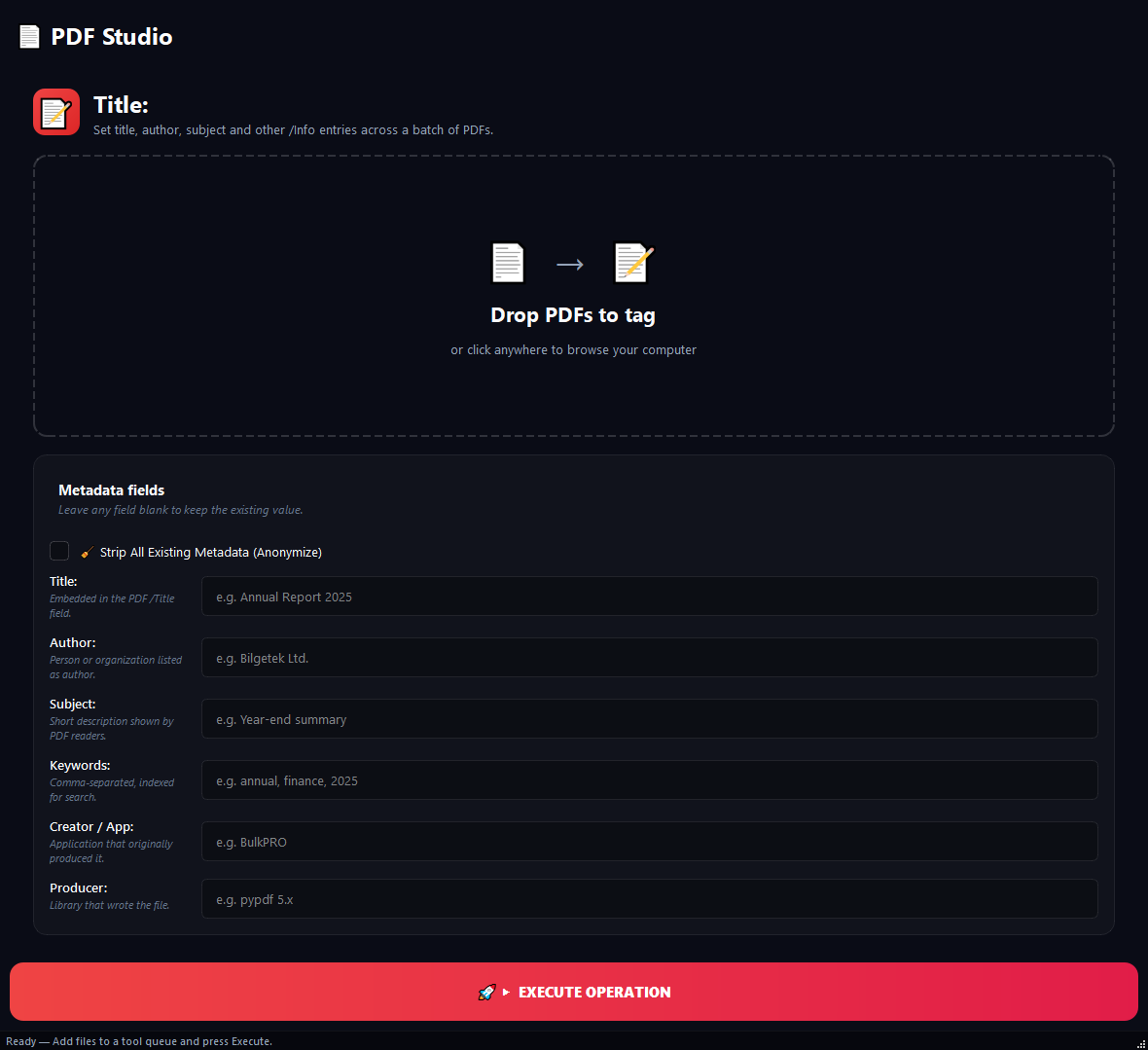
Use this to change the "Author", "Title" or "Producer" fields embedded in your PDFs.
Version 0.1.46 is permanently free with all 76 tools and modules. No usage quota, time limit, license key or subscription.
What it does
Use this to change the "Author", "Title" or "Producer" fields embedded in your PDFs. You can rewrite the author on 80 contracts at once, wipe all identifying traces from leaked documents, or tag your archive with searchable keywords.
How to use it
- 1Drag PDFs into the list.
- 2If you want to wipe all existing metadata first, check Strip All Existing Metadata.
- 3Fill in the fields you want to write (Title, Author, Subject, Keywords, Creator, Producer). Blank fields are left alone.
- 4Click Run.
Use cases
Bulk reassign author
Add 80 contracts, type Demir Law Firm into Author, leave the rest blank. Only the author field changes.
Full anonymisation
Add sensitive PDFs, turn Strip All on, leave all fields blank. Every original metadata trace is removed.
Publishing standard
Add book PDFs, turn Strip All on, fill Creator and Producer with your corporate values.
SEO keywords
Add tax-related PDFs, type tax, 2026, vat, return into Keywords. Everything else stays as it was.
Frequently asked questions
Is PDF Metadata free?
Yes. Version 0.1.46 is permanently free with all 76 tools and modules included. There is no usage quota or time limit, and no license key, account or subscription is required.
Local processing
Runs on your CPU/GPU. No file leaves your machine.
Batch ready
Process dozens or thousands of files in one run.
Part of BulkPro
Bundled with 76 tools across 7 modules: one install, one app.
Full UI reference, step-by-step workflows, edge cases
Every input, button, and behavior documented for advanced users.