PDF Redaction
Use this for GDPR/KVKK compliance, stripping names out of contracts, or cleaning customer data out of reports before publishing.
Version 0.1.46 is permanently free with all 76 tools and modules. No usage quota, time limit, license key or subscription.
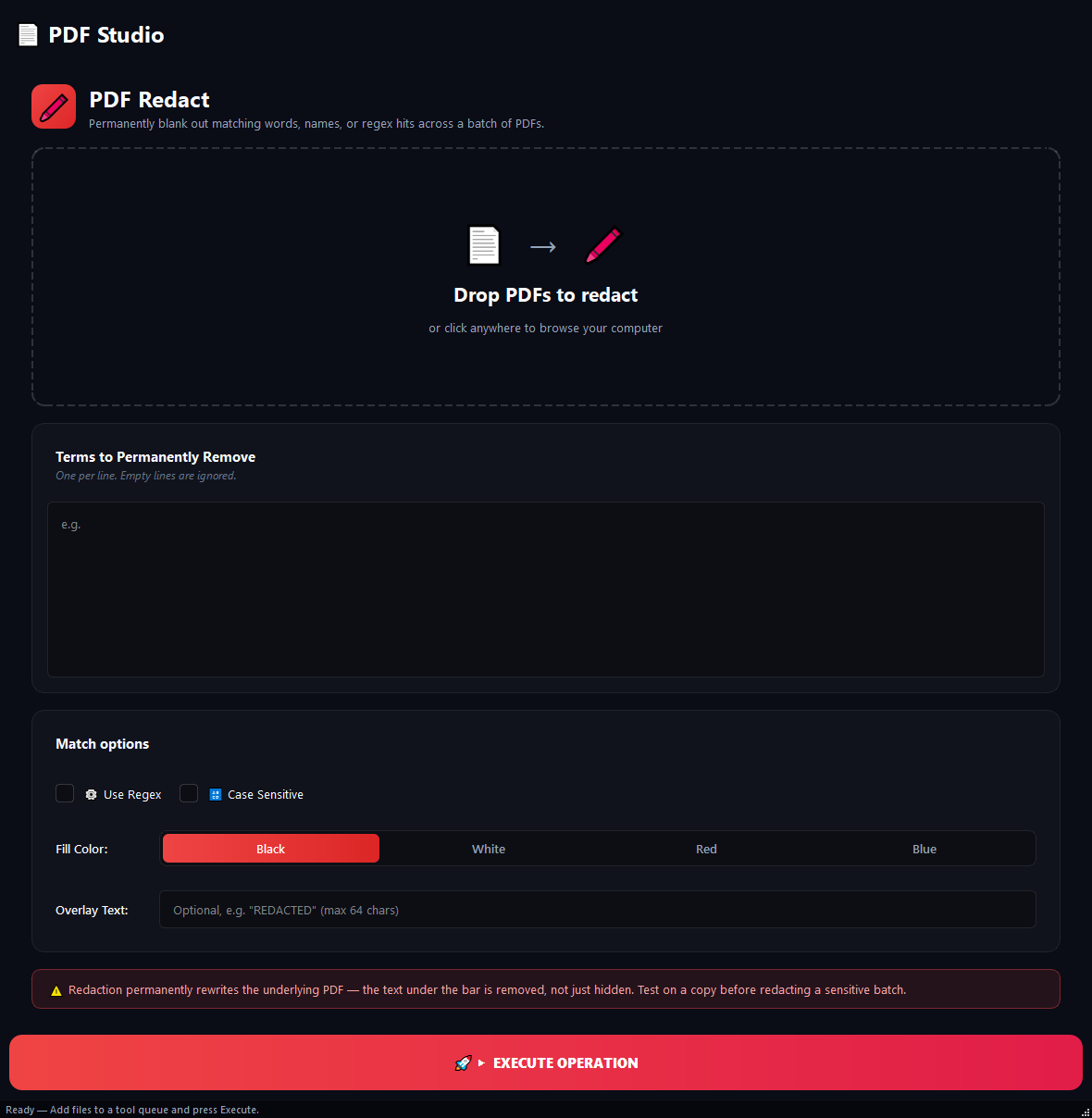
What it does
Use this for GDPR/KVKK compliance, stripping names out of contracts, or cleaning customer data out of reports before publishing. The key thing: this tool does not just paint a black box over the content, it **actually deletes it** from the file. You cannot recover it with copy-paste or OCR.
How to use it
- 1Drag PDFs into the list.
- 2Type each term to remove on its own line in Terms to Remove (e.g. a customer name, an ID number).
- 3If you want pattern matching, turn on Use Regex.
- 4Set the Colour and optional Overlay Text (e.g. [REDACTED]).
- 5Click Run.
Use cases
Strip a customer name from a contract
Add the PDF, type John Smith into terms, run. Every instance is removed.
Bulk personal-data cleanup
Add 30 PDFs, turn on regex mode, type the ID / phone / email patterns each on their own line, run. All matches are caught and removed.
Public-ready blackouts
Add the PDF, type the secret terms, set overlay text to [REDACTED]. The output shows a black box with [REDACTED] over each removed area.
Frequently asked questions
Is PDF Redaction free?
Yes. Version 0.1.46 is permanently free with all 76 tools and modules included. There is no usage quota or time limit, and no license key, account or subscription is required.
Local processing
Runs on your CPU/GPU. No file leaves your machine.
Batch ready
Process dozens or thousands of files in one run.
Part of BulkPro
Bundled with 76 tools across 7 modules: one install, one app.
Full UI reference, step-by-step workflows, edge cases
Every input, button, and behavior documented for advanced users.