PDF Repair
Your PDF reader refuses to open the file, says "file corrupted", or freezes on certain pages.
Version 0.1.46 is permanently free with all 76 tools and modules. No usage quota, time limit, license key or subscription.
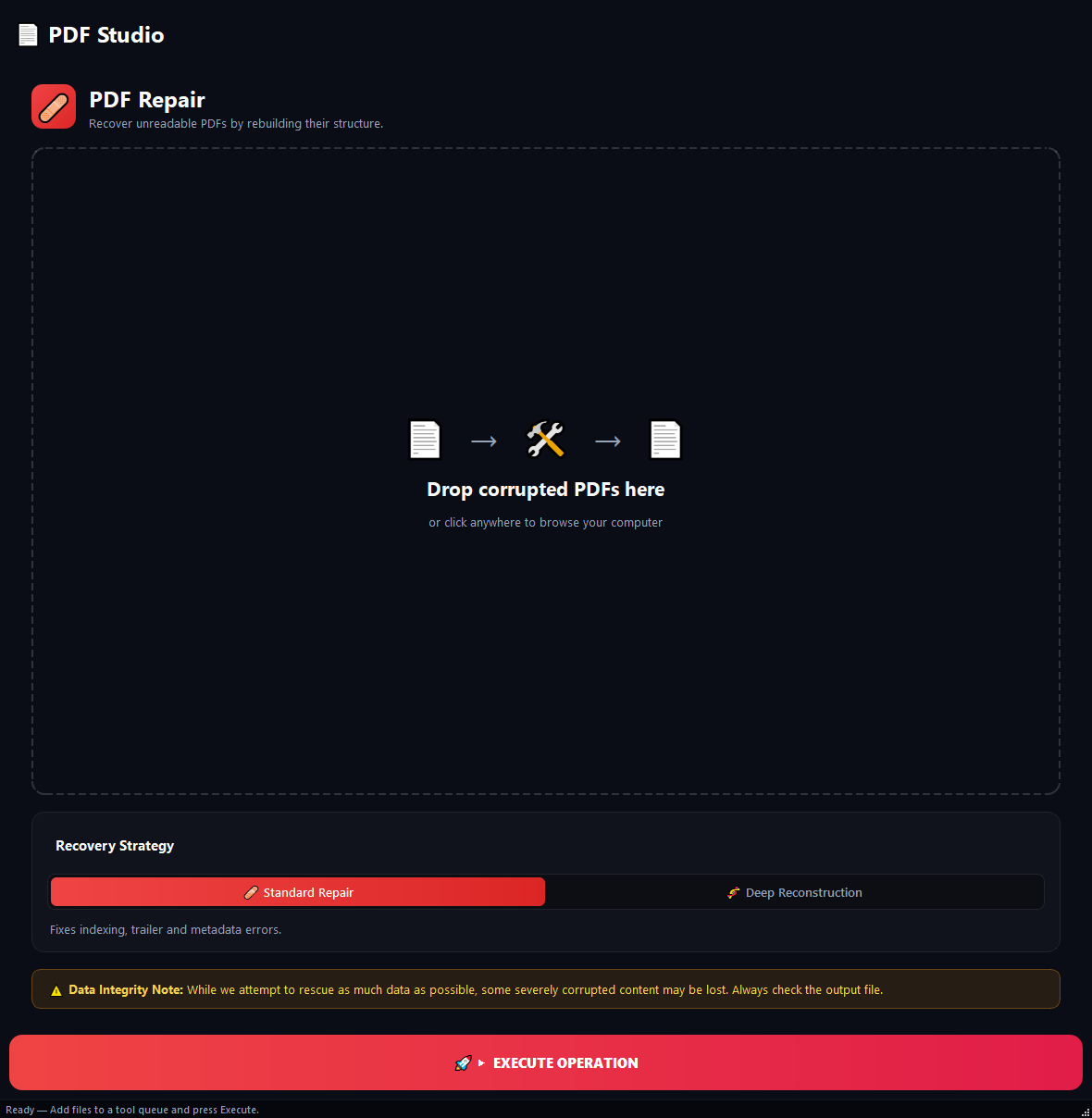
What it does
Your PDF reader refuses to open the file, says "file corrupted", or freezes on certain pages. This tool tries to fix the internal damage. Useful for half-finished scans, files that came down from the internet incomplete, or documents salvaged from old drives.
How to use it
- 1Drag the broken PDFs into the list.
- 2Pick a repair mode: Standard Repair or Deep Reconstruction.
- 3Click Run.
Use cases
Report that will not open
Add the broken PDF, pick Standard Repair, run. Try to open the output, if it works you are done.
Standard failed
Re-add the same PDF, pick Deep Reconstruction this time. The structure is rebuilt from scratch and usually works.
Files salvaged from an old drive
Add 50 PDFs in batch, run Standard mode. Check which ones open. Re-run the failures through Deep mode.
Half-downloaded scan
Add the file, Standard mode, run. The missing trailer is usually patched and the file opens.
Frequently asked questions
Is PDF Repair free?
Yes. Version 0.1.46 is permanently free with all 76 tools and modules included. There is no usage quota or time limit, and no license key, account or subscription is required.
Local processing
Runs on your CPU/GPU. No file leaves your machine.
Batch ready
Process dozens or thousands of files in one run.
Part of BulkPro
Bundled with 76 tools across 7 modules: one install, one app.
Full UI reference, step-by-step workflows, edge cases
Every input, button, and behavior documented for advanced users.