Video Cutter
Use this to pull a 5-minute clip out of an hour-long recording, break a conference recording into 15-minute chapters, or trim the head and tail of a podcast video.
Version 0.1.46 is permanently free with all 76 tools and modules. No usage quota, time limit, license key or subscription.
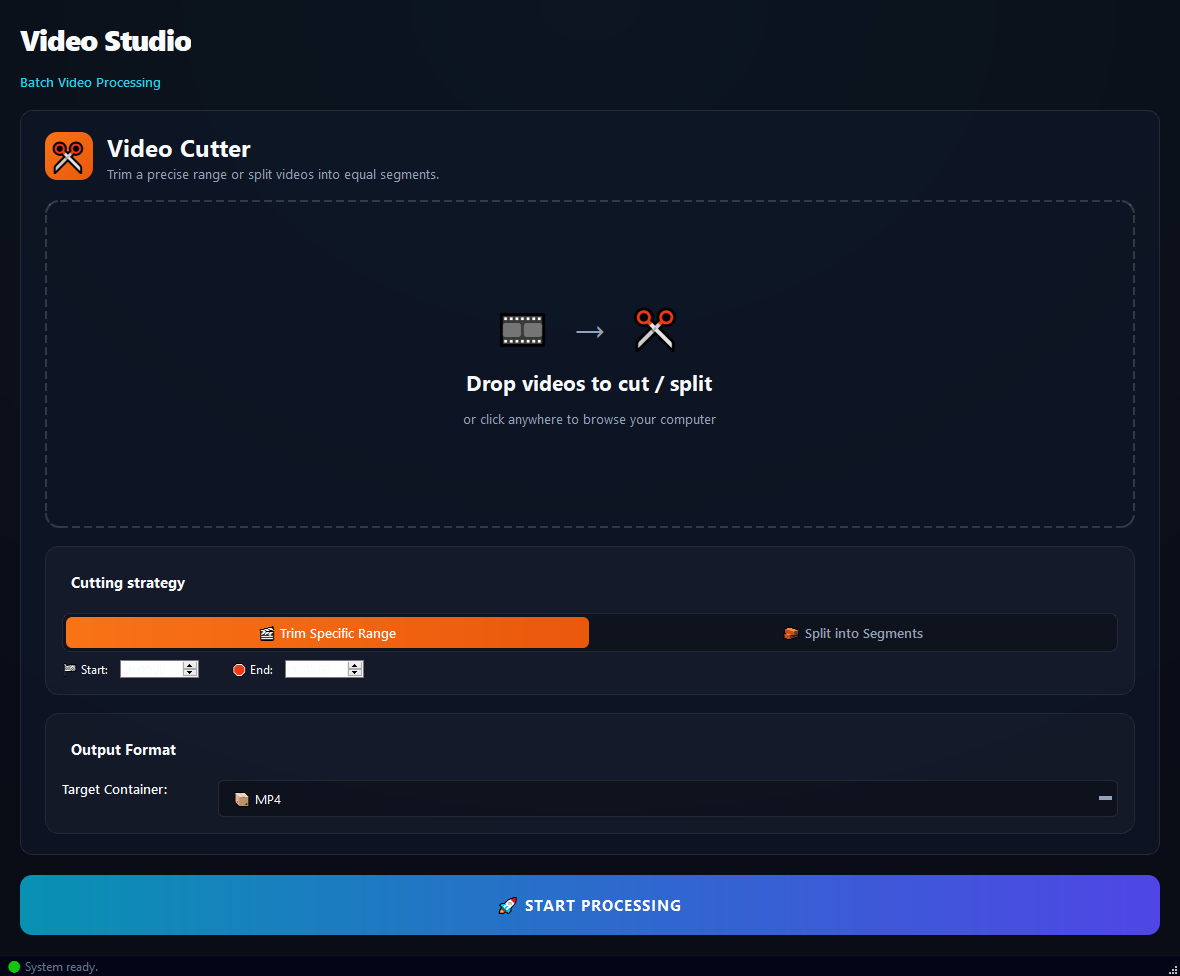
What it does
Use this to pull a 5-minute clip out of an hour-long recording, break a conference recording into 15-minute chapters, or trim the head and tail of a podcast video.
How to use it
- 1Drag video files into the list.
- 2Pick a Cutting Strategy: Trim a Range or Split into Segments.
- 3For Trim, type Start and End times (mm:ss).
- 4For Split, set the Segment Duration (in seconds).
- 5Pick an Output Container (MP4 recommended).
- 6Click Run.
Use cases
Pull a 5-minute clip out of a conference
Add the video, Trim, Start 15:00, End 20:00, MP4, run. Single 5-minute .mp4.
Break a 1-hour lecture into 15-minute chunks
Add the video, Split, Segment 900 seconds (15 min), MP4, run. Four files.
Trim a vlog's head and tail
Add the video, Trim, Start 00:05 (drop the first 5 seconds), End 08:30 (cut the tail), run.
Slice a long recording into 60-second social clips
Add the video, Split, Segment 60 seconds, run. Each chunk is shareable.
Frequently asked questions
Is Video Cutter free?
Yes. Version 0.1.46 is permanently free with all 76 tools and modules included. There is no usage quota or time limit, and no license key, account or subscription is required.
Local processing
Runs on your CPU/GPU. No file leaves your machine.
Batch ready
Process dozens or thousands of files in one run.
Part of BulkPro
Bundled with 76 tools across 7 modules: one install, one app.
Full UI reference, step-by-step workflows, edge cases
Every input, button, and behavior documented for advanced users.