Video Metadata
Use this to wipe location data from social-media uploads, stamp brand info onto corporate video production, remove GPS from drone footage, or clean old device/software signatures.
Version 0.1.46 is permanently free with all 76 tools and modules. No usage quota, time limit, license key or subscription.
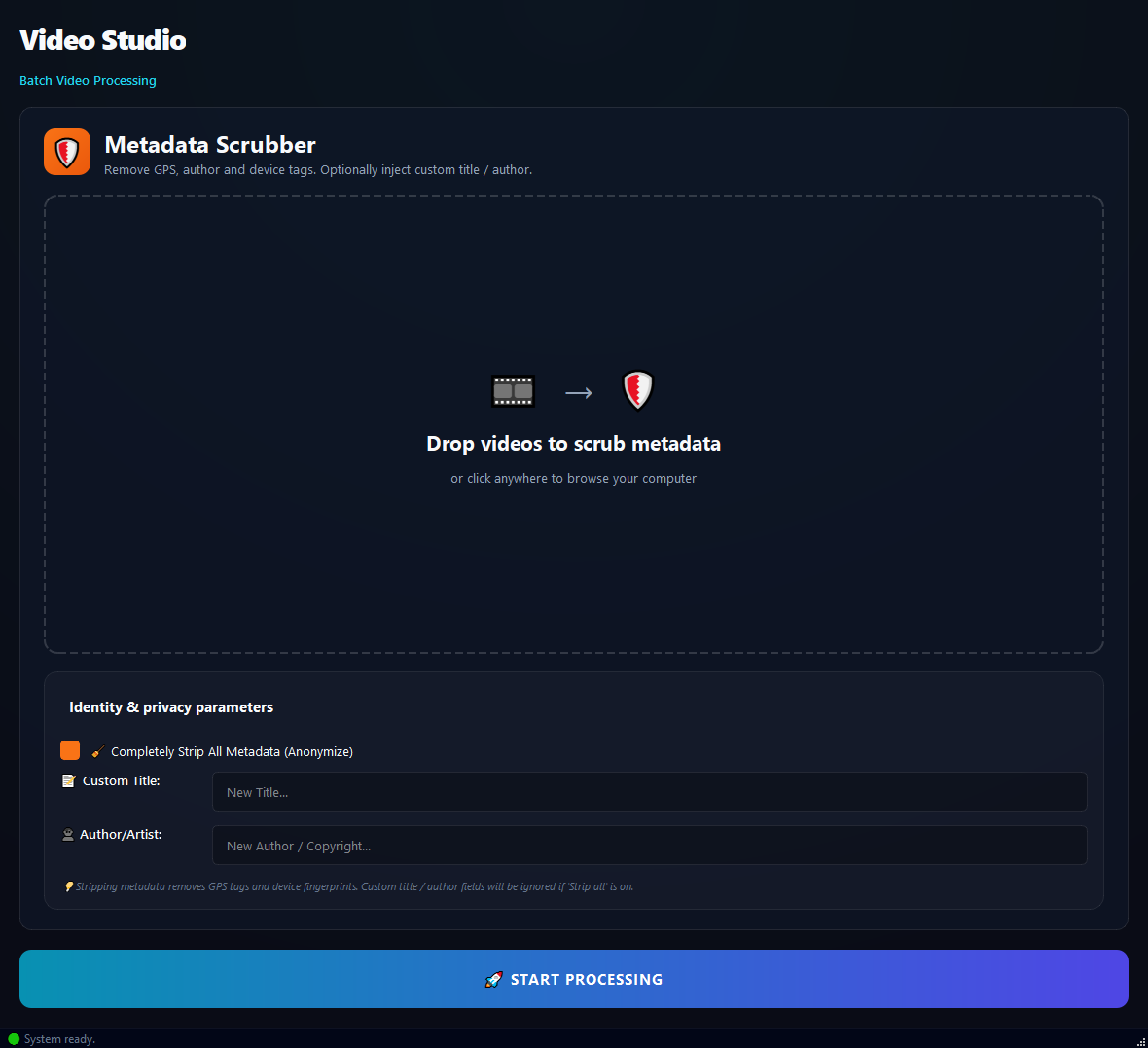
What it does
Use this to wipe location data from social-media uploads, stamp brand info onto corporate video production, remove GPS from drone footage, or clean old device/software signatures.
How to use it
- 1Drag video files into the list.
- 2Tick Strip All Metadata (Anonymize) (on by default).
- 3Optionally fill in Custom Title and Author / Artist.
- 4Click Run.
Use cases
Privacy cleanup before social
Add phone videos, Strip All on, run. GPS and device info are gone.
Corporate stamp
Add the produced videos, Strip All on, Author Demir Media, Title 2026 Promo, run.
Drone footage location wipe
Add the drone videos, Strip All on, run. GPS coordinates are removed.
Old software trace cleanup
Add the edited videos, Strip All on, run. The "which program edited me" tag is gone.
Frequently asked questions
Is Video Metadata free?
Yes. Version 0.1.46 is permanently free with all 76 tools and modules included. There is no usage quota or time limit, and no license key, account or subscription is required.
Local processing
Runs on your CPU/GPU. No file leaves your machine.
Batch ready
Process dozens or thousands of files in one run.
Part of BulkPro
Bundled with 76 tools across 7 modules: one install, one app.
Full UI reference, step-by-step workflows, edge cases
Every input, button, and behavior documented for advanced users.