PDF Convert
Convert PDF to Word/Excel/images, or back. Batch, local.
Version 0.1.46 is permanently free with all 76 tools and modules. No usage quota, time limit, license key or subscription.
What it does
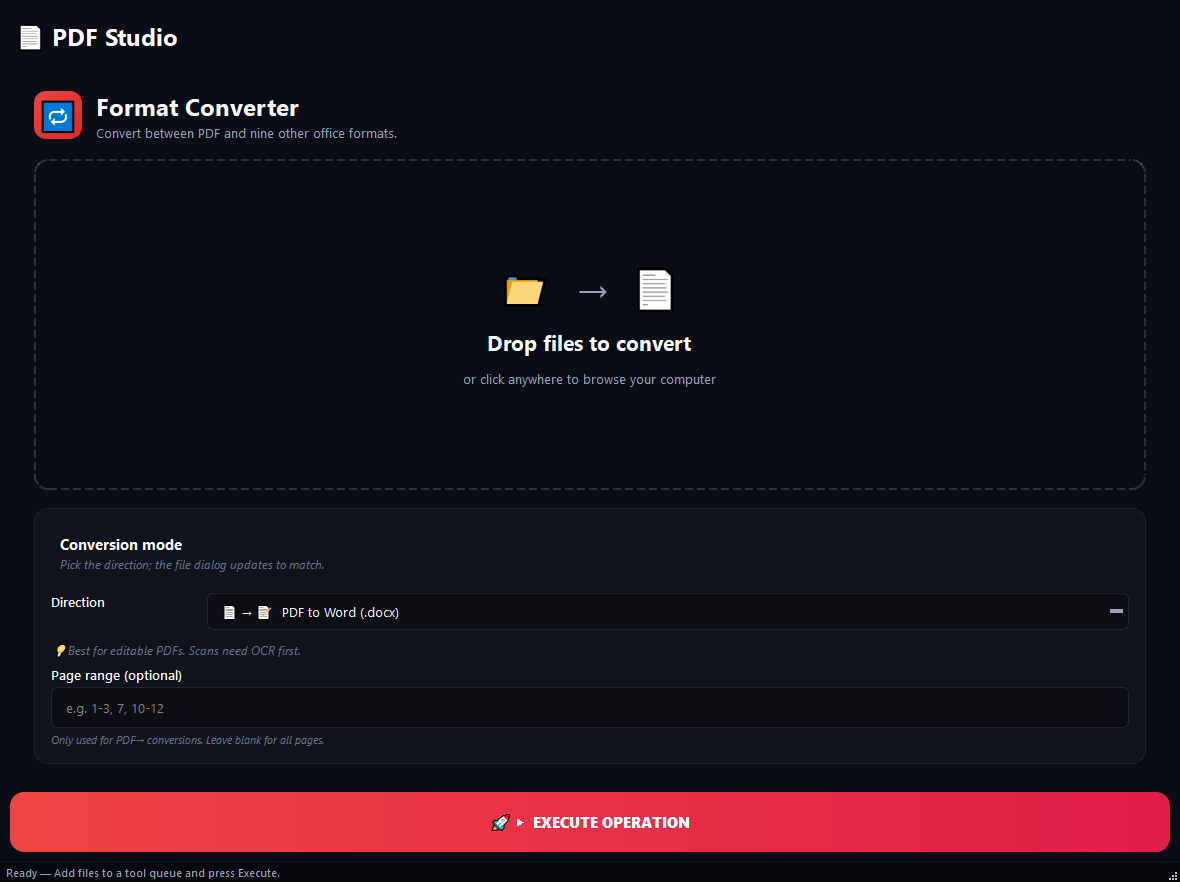
BulkPro PDF Converter does two-way conversion between PDF and Word, Excel, PowerPoint, images, text and HTML. Editing a PDF report in Word, sending a contract as PDF, archiving slides or collecting images into one PDF: all in one tool. Drop a folder and every suitable file inside is queued, processing dozens at once without your files leaving the device.
How to use it
- 1Pick the conversion type from the list (e.g. PDF to Word).
- 2Drag files or add a folder (all suitable files are queued).
- 3If the source is a PDF, optionally enter a page range (e.g. 1-10, 50-60); leave blank for all pages.
- 4Click Run. Each file produces output in the new format.
Use cases
Turn 50 Word files in a folder into PDFs
Pick 'Word to PDF', add the folder, run; 50 PDFs appear in the same folder.
Pull specific pages from a thesis into Word
Pick 'PDF to Word', enter range 1-10, 50-60; only those pages become editable Word.
Combine 30 images into one PDF
Pick 'Images to PDF', drag the images; each becomes a page, in the order you added them.
Frequently asked questions
How do I convert PDF to Word?
Pick the 'PDF to Word' type, add the file and click Run; an editable Word document is produced. For scanned PDFs, run the OCR tool first.
Do I need Office to convert Word/Excel to PDF?
Converting Word, Excel or PowerPoint to PDF requires LibreOffice or Microsoft Office installed on your computer.
Are my files uploaded to the cloud?
No. All conversion runs on your computer; your files are never sent to any server.
Is PDF Convert free?
Yes. Version 0.1.46 is permanently free with all 76 tools and modules included. There is no usage quota or time limit, and no license key, account or subscription is required.
Local processing
Runs on your CPU/GPU. No file leaves your machine.
Batch ready
Process dozens or thousands of files in one run.
Part of BulkPro
Bundled with 76 tools across 7 modules: one install, one app.
Full UI reference, step-by-step workflows, edge cases
Every input, button, and behavior documented for advanced users.