Image Converter
Batch-convert images to WebP/JPG/PNG. Local, fast.
Version 0.1.46 is permanently free with all 76 tools and modules. No usage quota, time limit, license key or subscription.
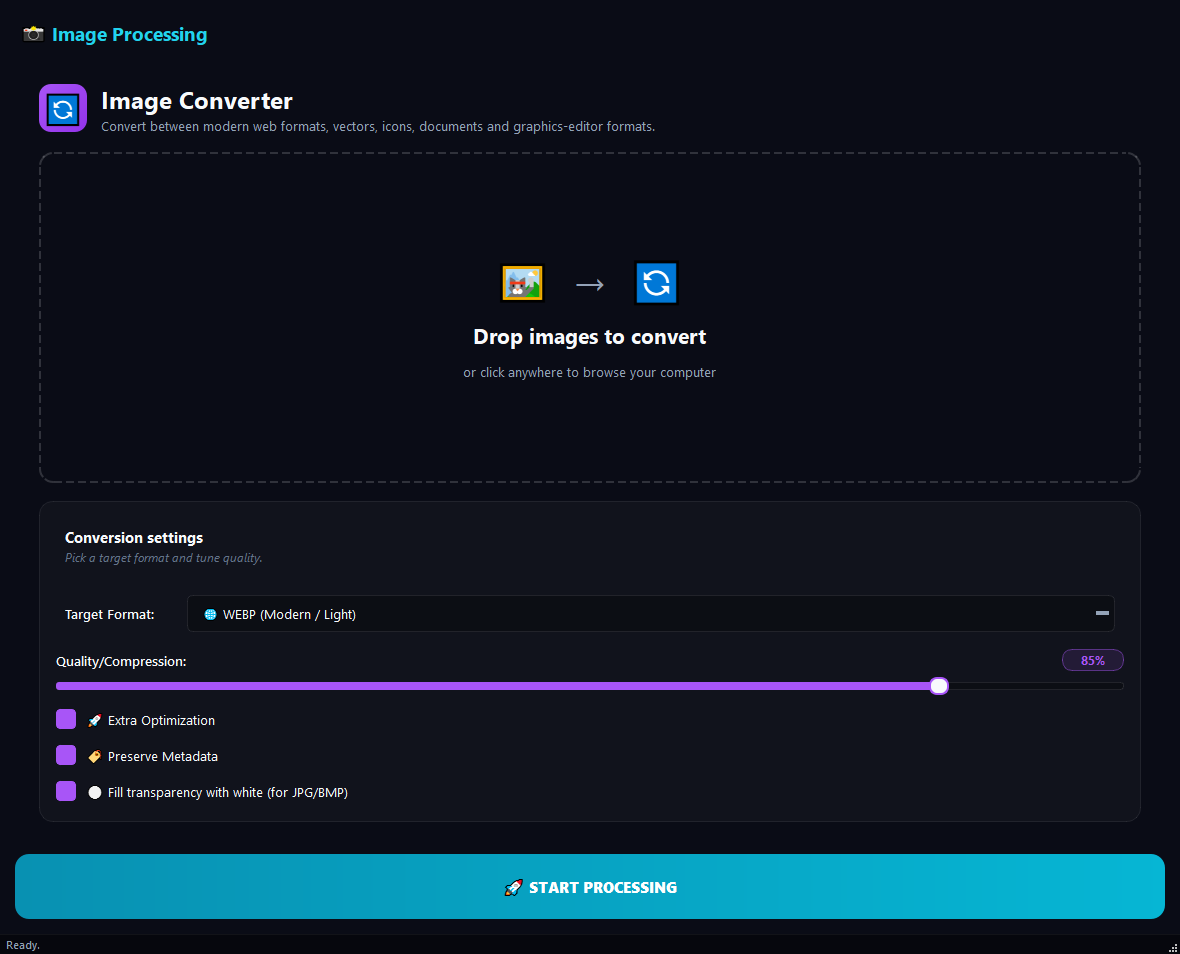
What it does
BulkPro Image Converter changes images between WebP, JPG, PNG, GIF, SVG, ICO, PDF, BMP and TIFF, and accepts HEIC input. It is ideal for turning iPhone HEIC photos into universally-openable JPGs, making small WebP files for your website, sharing a logo as PDF, or moving an old TIFF archive to a modern format. You control quality with a slider, and it converts hundreds of images at once without your files leaving the device.
How to use it
- 1Drag the images onto the list.
- 2Pick the Target Format (WebP, JPG, PNG, PDF...).
- 3Adjust the Quality/Compression slider (default 85%).
- 4Click Run. A copy of each image is produced in the new format.
Use cases
Turn iPhone photos into JPG
Add HEIC photos, target JPG, quality 90%; files that open on any device.
Make WebP for the web
Target WebP at quality 85% to produce small files that speed up your pages.
Modernize an old TIFF archive
Convert TIFFs to WebP at high quality; size drops, quality is kept.
Frequently asked questions
How do I convert HEIC to JPG?
Add the HEIC files, set the Target Format to JPG and click Run; JPG copies that open on any device are produced.
I only want to shrink size, is this the right tool?
If you are not changing format, the Image Compressor tool is a better fit; this tool is for converting between formats.
Are my images uploaded to the cloud?
No. Conversion runs locally on your computer; your images are never sent to any server.
Is Image Converter free?
Yes. Version 0.1.46 is permanently free with all 76 tools and modules included. There is no usage quota or time limit, and no license key, account or subscription is required.
Local processing
Runs on your CPU/GPU. No file leaves your machine.
Batch ready
Process dozens or thousands of files in one run.
Part of BulkPro
Bundled with 76 tools across 7 modules: one install, one app.
Full UI reference, step-by-step workflows, edge cases
Every input, button, and behavior documented for advanced users.